To effectively manage time during a presentation, we need to plan ahead by outlining key points, allocating specific time for each section, and leaving space for audience engagement. Setting clear time boundaries and using visual aids like countdown clocks or timer apps helps maintain transparency and keep us on track. We should break down our presentation into manageable sections, prioritize content, and incorporate engaging techniques to keep the audience focused. By doing so, we’ll be able to deliver our message within the given timeframe and make the most out of our time – and as we dig deeper, we’ll discover even more strategies to perfect our timing.
Plan Your Presentation Timeline
Planning a presentation timeline is essential to delivering an engaging and effective message within the allotted time. To achieve this, we start by outlining our key points, allocating time for each section, and leaving space for shifts and audience engagement.
We consider our audience’s needs and tailor our content to keep them engaged throughout the presentation. Next, we prioritize our key points, cutting out any unnecessary information to guarantee a smooth flow.
During our presentation rehearsal, we time ourselves to verify we’re staying within our allotted time frame. By doing so, we can refine our delivery, make adjustments, and deliver a confident, well-timed presentation that resonates with our audience.
This careful planning helps us stay focused and confirm our message is conveyed effectively.
Set Clear Time Boundaries
As we take the stage to deliver our presentation, we must establish a clear understanding of our time boundaries with the audience. We need to inform them about the time limits of our presentation, so they know what to expect. This can be done by stating the duration at the beginning or including it in our introduction.
Setting clear time boundaries helps maintain audience engagement, as they’ll stay focused knowing when the presentation will end. By being transparent about our time limits, we show respect for the audience’s time and foster a more productive interaction.
This clarity also enables us to stay on track and deliver our message within the allotted time.
Use Timing Visual Aids
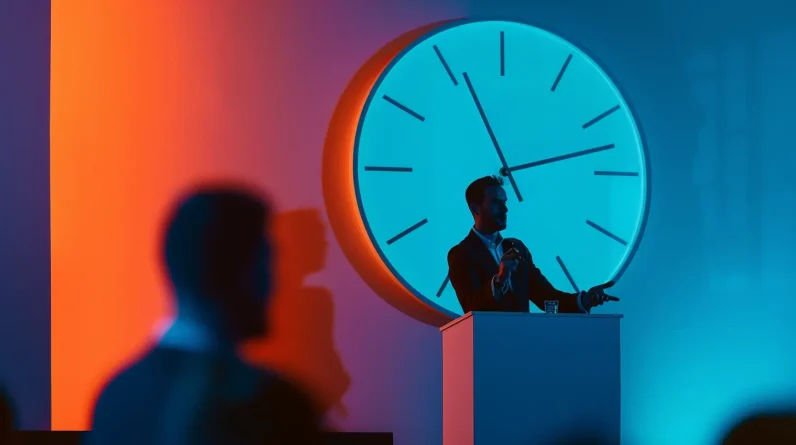
We’ve set clear time boundaries with our audience, now it’s time to reinforce this clarity with visual aids that display our timing. Visual cues are essential for keeping our presentation on track and engaging our audience. To achieve this, we can utilize various tools such as timer apps, countdown clocks, and color coding. These visual aids not only help us stay within our time limits but also keep our audience informed.
– Countdown clocks display the remaining time, creating a sense of urgency and encouraging us to stay focused.
– Color coding highlights key sections or time-sensitive information, making it easier for the audience to follow along.
– Timer apps enable us to set alarms or notifications to signal changes or time limits.
– Visual cues promote audience engagement by providing a clear understanding of the presentation’s timeline.
Pace Your Presentation Sections
By breaking down our presentation into sections and pacing each one effectively, we’ll keep our audience engaged and maintain a steady flow of information.
To achieve this, we should prioritize our content and allocate time accordingly. We should also incorporate engagement techniques such as storytelling elements and audience interaction to keep our audience invested.
Effective shift strategies will help us smoothly move between sections, minimizing downtime and maximizing engagement. Visual storytelling can also be used to convey complex information quickly and efficiently.
Manage Q&A Sessions Effectively
Our well-structured narrative is key to engaging our audience from start to finish, but even with a solid presentation, things can quickly unravel if we don’t manage the Q&A session effectively.
This is where we can either solidify our message or create confusion. To avoid the latter, we should anticipate questions and prepare thoughtful responses.
– Anticipate questions that may arise from our presentation’s key points
– Prepare concise responses that engage our audience and add value
– Use the Q&A session as an opportunity to reiterate our main message
– Keep our answers brief and to the point to keep the session on track
Conclusion
We’ve covered the essentials to manage time effectively during our presentations. Some may argue that a strict timeline stifles creativity, but we’d counter that a well-planned timeline actually frees us to focus on our message. By setting clear time boundaries, using visual aids, pacing our sections, and managing Q&A, we can deliver engaging, informative, and structured presentations. Effective time management isn’t about restricting ourselves, it’s about making the most of the time we have to connect with our audience.